Energy Schedule
Energy Schedule is a Mac Dashboard widget that shows your Mac's Energy Saver schedule.
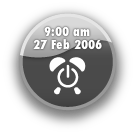
It’s cute, useful, and it’s free.
The Energy Schedule widget shows your Mac’s Energy Saver schedule. You can use it as either a ’next event button’, or as a ‘give me everything list’; it all comes down to personal style.
Did you know your Mac can automatically turn itself on and off?
It is all surprisingly easy. Take a look at System Preferences > Energy Saver > Schedule…
Not for me you say!?
Lots of applications schedule events, and sometimes they do not play nicely together. It is not uncommon to have two or three tools all trying to schedule different events, with different aims, at the same time.
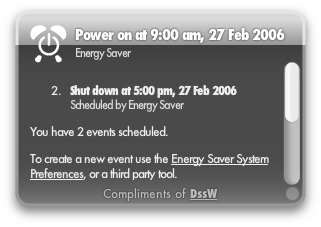 Complete event schedule (widget back)
This little widget will help. It gives you an insight into the current schedule; each event is listed with the exact date and time of the event and the application that scheduled it.
Installing the widget
Mac OS X v10.4, also known as Tiger, is required. If you’re using Safari, click the download link. When the widget download is complete, the widget installer appears. Click Install if you want the widget installed on your Mac. If you’re using a browser other than Safari, click the download link. When the widget download is complete, unarchive and open it to show the widget installer.
Need more?
Take a look at our professional energy saving software.