Power Manager
Power Manager lets you automate sophisticated tasks and improve your Mac's power management.
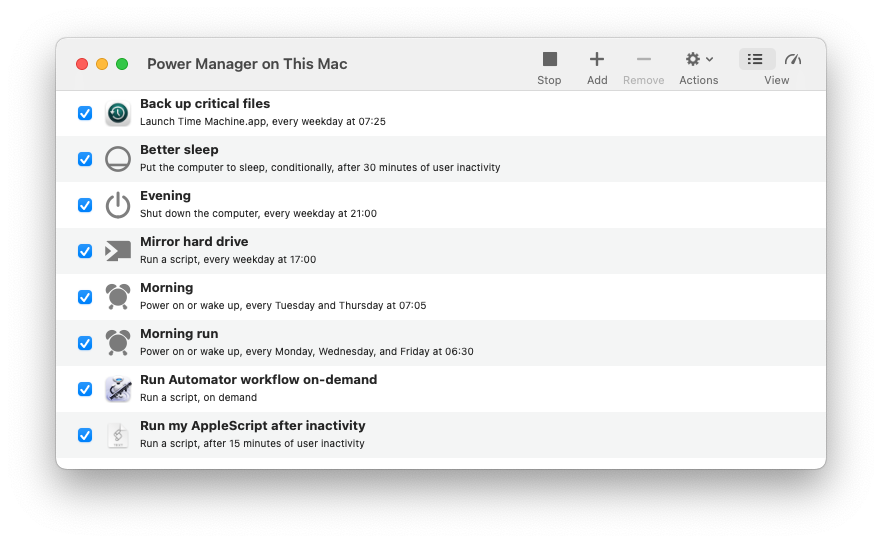
What does Power Manager do?
Power Manager can power on a Mac, run a series of tasks, and power off the Mac without requiring any interaction. With Power Manager you can create sophisticated energy saving schedules and automate complex tasks.
An energy saving schedule is created from events. Events are at the heart of Power Manager. An event encapsulates three things: triggers, conditions, and actions.
An event might tell the computer to perform a particular action at a specific time. You can create separate events to power on your Mac at different times across the day or week. By creating multiple events, you build a unique schedule for your needs.
Events can be as simple as putting the Mac to sleep after a period of inactivity; or as complex as powering on your Mac, waiting for a user to log-in, and only then running an AppleScript or Automator workflow.
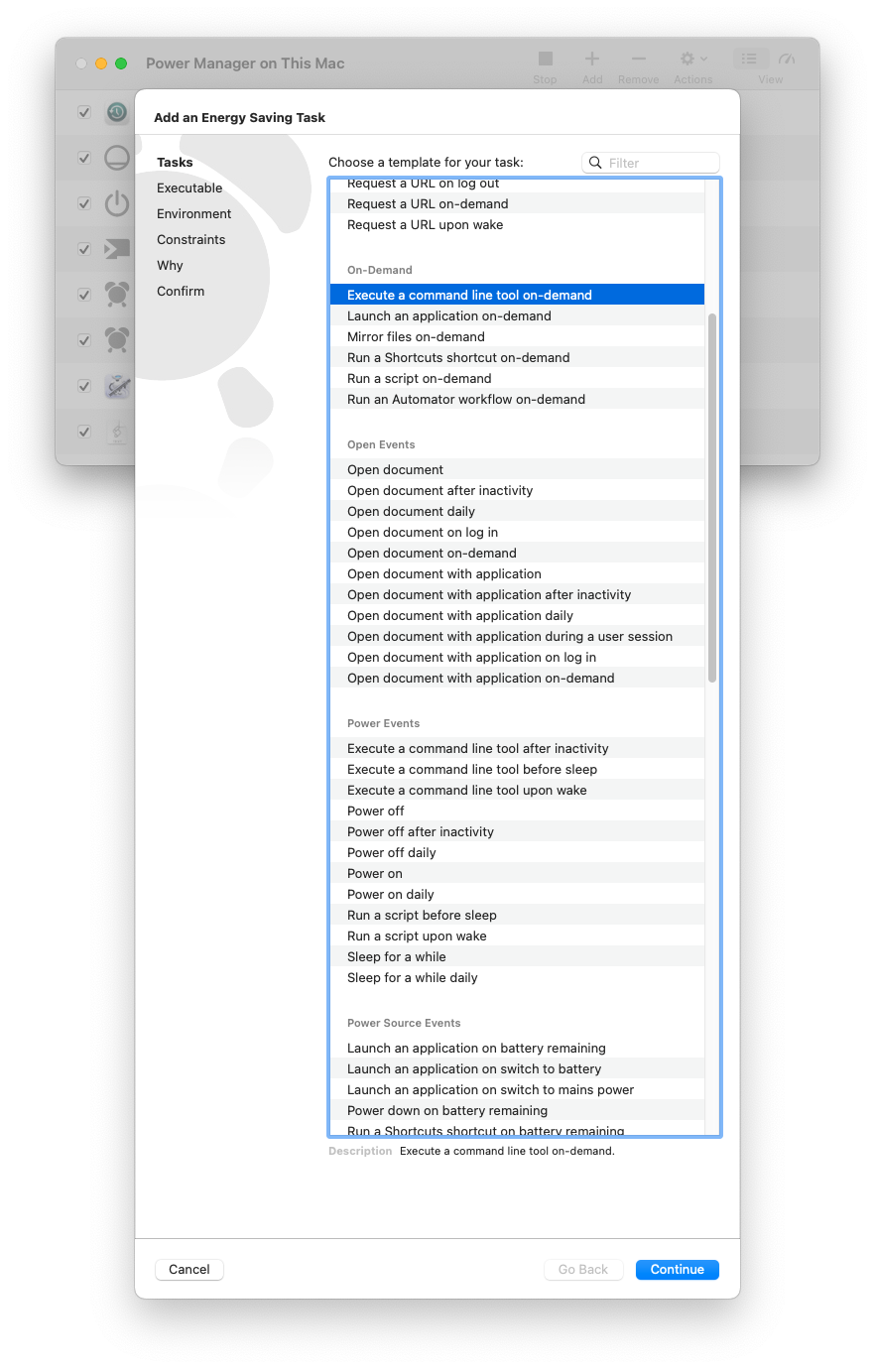
Power Manager’s Schedule Assistant
Who is Power Manager for?
Where macOS’s built-in tools and features stop, Power Manager starts. Power Manager is designed for power users; people who use their Mac for their work and hobbies.
Power Manager is used by everyone from individuals who want to automate their back-up routine, to multi-national organisations who need more control over their Mac networks.
Designed for professionals who have outgrown the tools included with macOS.
Power Manager lets you focus on what needs to be done instead of learning about configuration files, user sessions, and other technical edge cases. Power Manager helps you avoid the frustration that can make seemingly simple tasks difficult.
Can I use Power Manager in my business or school?
Yes, deploying Power Manager across an organisation is easy. We provide administrator and technical support to help you get the most from your decision. Power Manager scales and includes numerous features designed explicitly for large networks.
We have a specially packaged edition of Power Manager. The packaged edition is a standard Installer package that can be deployed quickly and easily with most network management tools. The Installer package requires no pre-installation or post-installation scripts and can be installed onto a non-booted system volume.
Not only is Power Manager easy to install but we make sure Power Manager can be removed easily.
Who uses Power Manager?
Since beginning Power Manager in 1997, our customers have grown to include household names. We have customers across the world ranging from multi-national businesses, museums, and academic organisations; to consultants and individuals who use Power Manager to craft unique personalised schedules.
Even with this global reach, we have remained focused on providing a personal, tailored service, that befits a specialised tool such as a Power Manager.
How is Power Manager different?
Power Manager is unlike any other energy saving, scheduling, or automation tool included with macOS. Power Manager augments macOS, it does not seek to replace it.
Designed to span and bring together the user’s graphical view and the hidden system level of macOS, Power Manager offers an easy to use visual interface. That interface provides control over Power Manager’s scheduling engine; an engine designed specifically for the Mac.
Power Manager works even if no-one is logged in.
Power Manager is friendly to your Mac applications and users alike.
Power Manager takes care to quit Mac applications in a Mac way. A rogue application blocking log out or shut down will not block Power Manager.
Users are shown count downs, notifications, and warnings before events that might affect their use of the computer. This behaviour is ideal for computer labs or where computers are shared by multiple people.
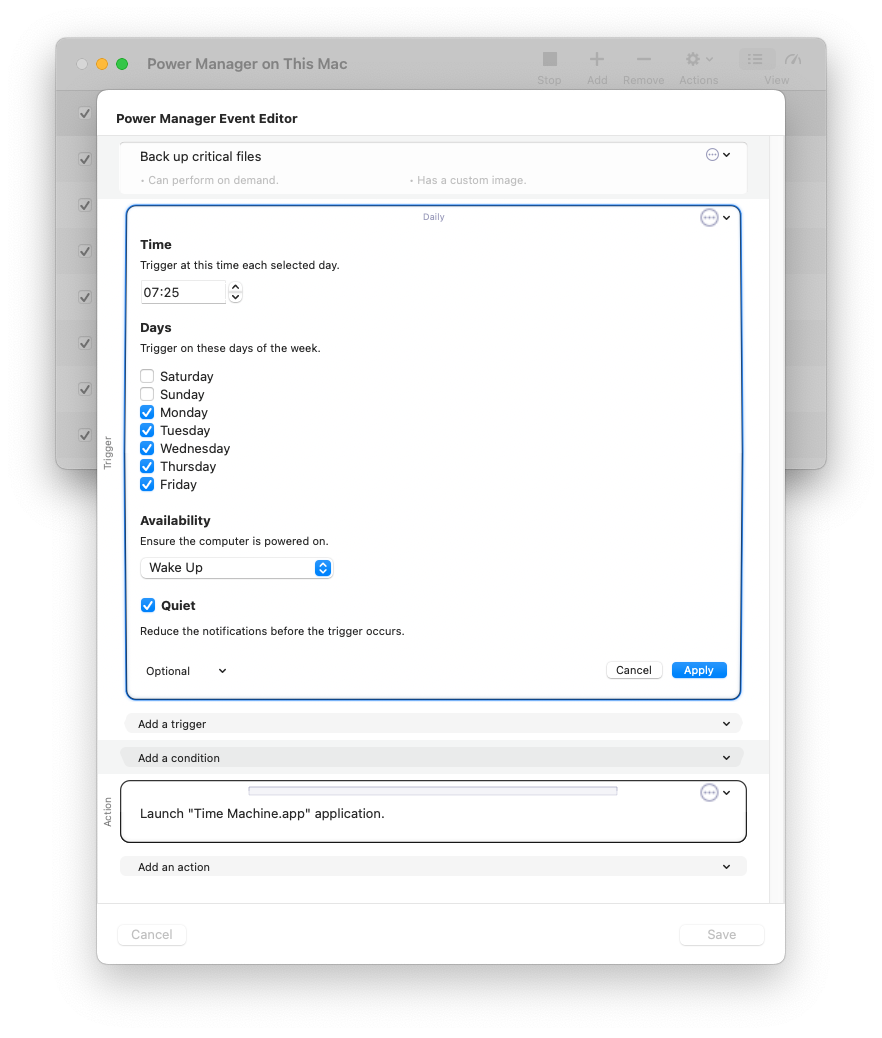
Power Manager’s Event Editor
Like the tip of an iceberg, Power Manager reveals only a small fraction of what is possible. As your schedule evolves and becomes more sophisticated, you will delight in discovering that Power Manager is already able to do what you considered impossible.
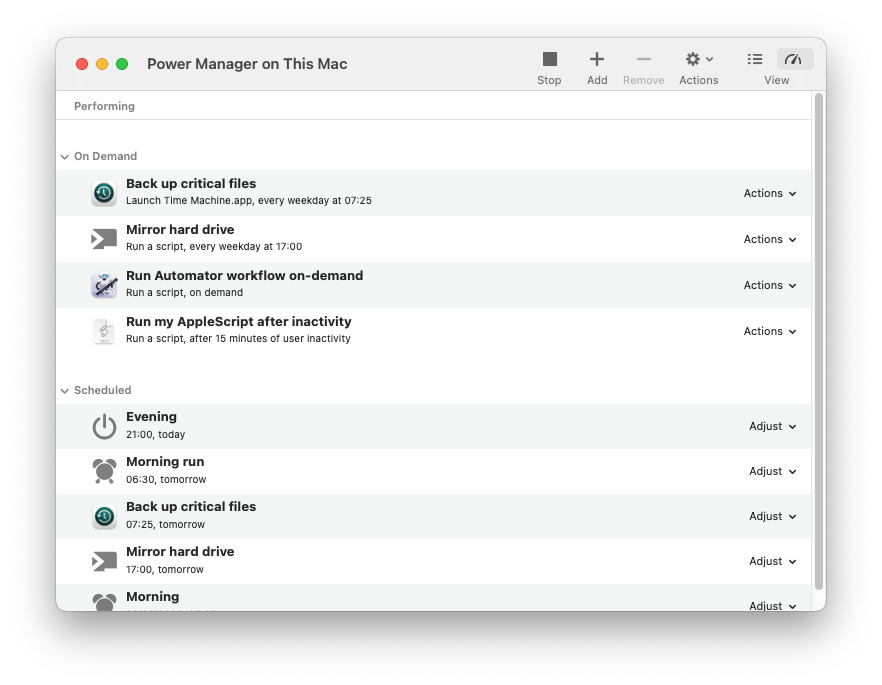
Power Manager’s Engine View
Designed for the Mac
Power Manager includes a fully featured Mac application.
Schedule Assistant
Quickly create events using the Schedule Assistant’s task-orientated approach.
Event Editor
Build on events using the advanced editor. Create with the Schedule Assistant, then customise with the Event Editor.
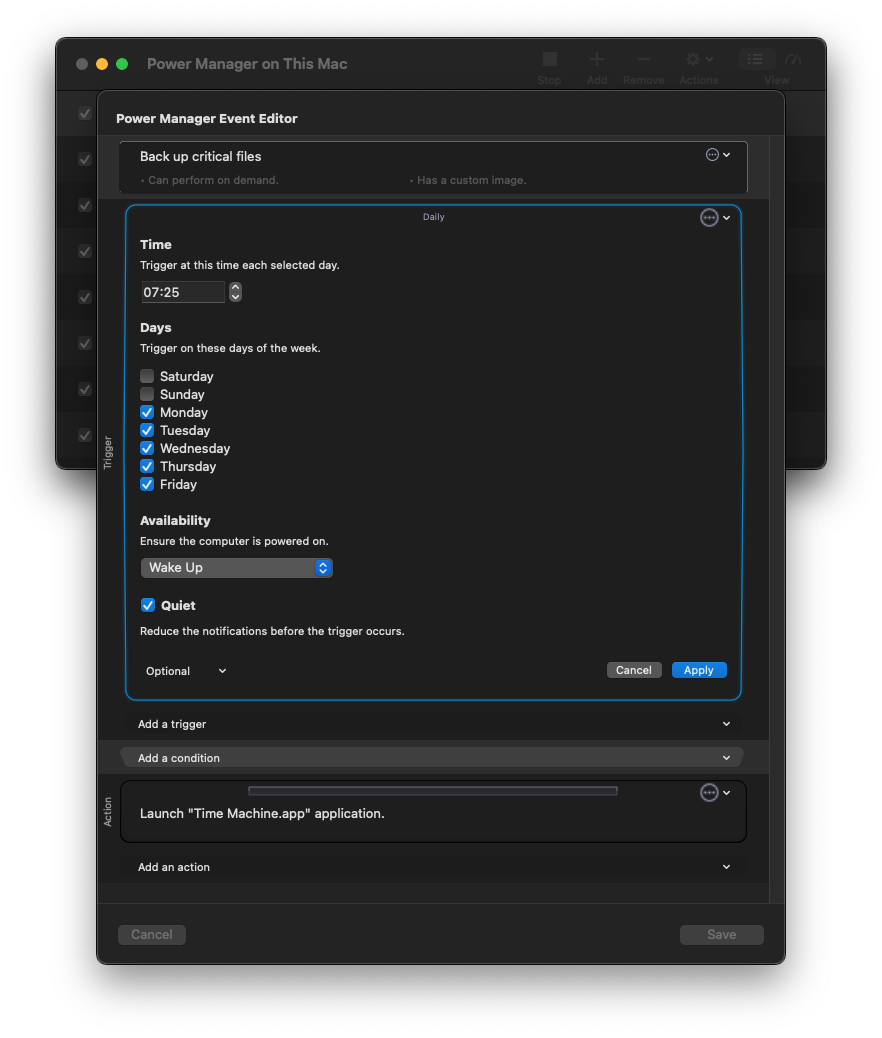
Power Manager’s event editor (Dark Mode)
Multiple User Savvy
Power Manager is computer centric. Multiple users can log in and out without affecting your schedule. The Scheduler continues to run even when no-one is logged in.
Administrator
Power Manager integrates into macOS’s authentication and authorisation infrastructure via Pluggable Authentication Modules (PAM). By default, only administrators can create or change schedules.
Notifications
Make sure your events get the user’s attention. Pending events count down in the menubar. A notification provides ample warning giving users a chance to prepare or respond.
Status Menu
Keep track of your schedule with the status menu. Performing, pending, and on-demand events are always close by.
Dark Mode
Power Manager works with macOS’s Dark Mode to tone down the interface and let your content stand out.
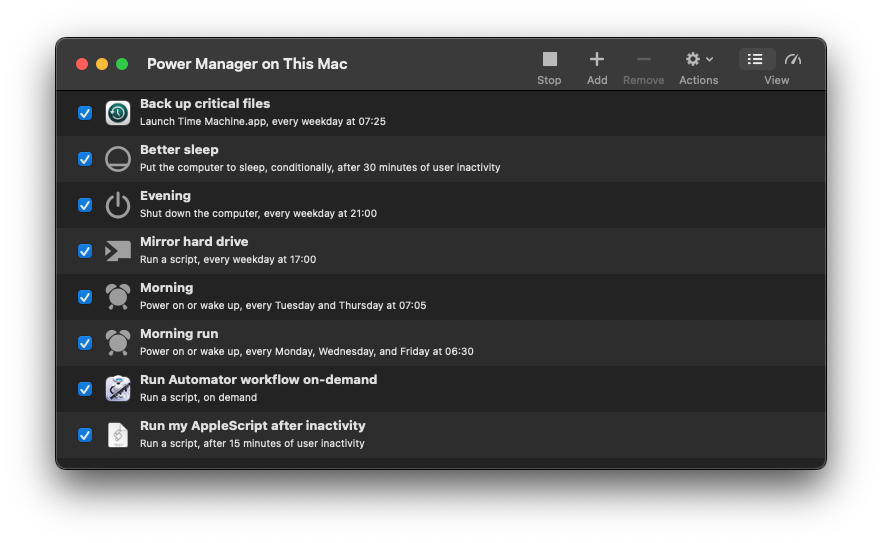
Power Manager’s event editor (Dark Mode)
Notification Centre
Pending events appear in the Notification Centre on the side of your desktop.
AppleScript
Power Manager provides a full AppleScript dictionary for scripting with plenty of example scripts. Power Manager can also perform AppleScripts as part of an event.
Secure Network
Power Manager supports IPv4 and IPv6 with all network traffic encrypted with SSL/TLS. Bonjour support makes remote access easy.
Graphical Interface
Create your events and schedule without needing to write a configuration file or use the command line. A powerful command line tool, pmctl, is included but optional.
Command Line
There is nothing you can not do via the command line tool pmctl. The tool provides complete control over Power Manager. The graphical user interface updates immediately as command line settings are issued.
Documentation
Comprehensive documentation is included on every aspect of Power Manger. Over 30,000 words of insight and guidance for learning about and using Power Manager.
Cookbook
Need inspiration? Over 100 recipes provide step-by-step guides to creating events and doing more with Power Manager.
Can I try Power Manager?
You can try Power Manager for free. A demonstration is available to download and try for 30 days. The demonstration is not restricted or limited, create as many events as you want.