Power Manager 5.13.0 Released
Announcing the launch of Power Manager 5.13.0 for macOS.
We are pleased to announce the launch of Power Manager 5.13. This is a significant update with changes to the macOS application, passwordless authentication, and the introduction of a new event editor.

This update includes a new Power Manager macOS application. The application has been rewritten to modernise the implementation, rather than change the functionality or features.
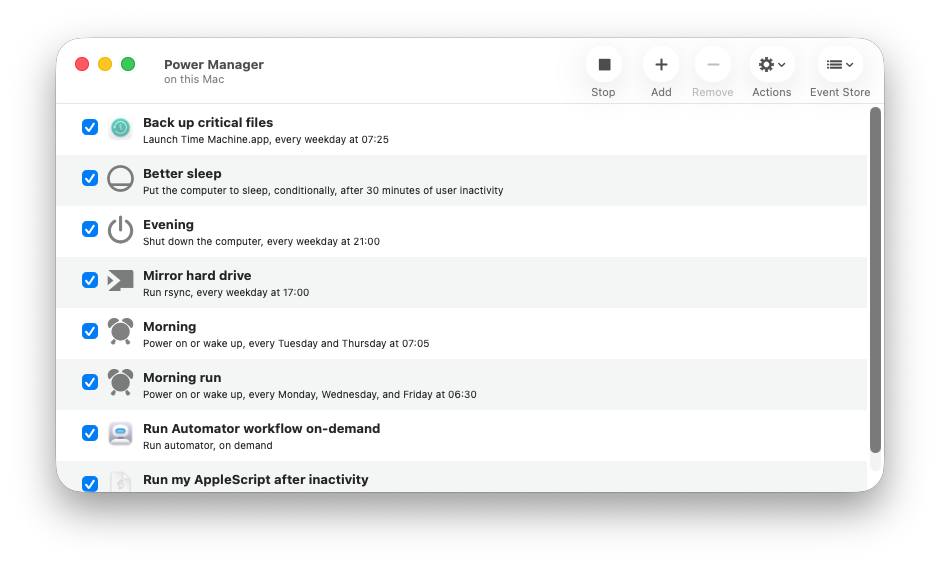
The screenshot below shows today’s Power Manager 5.13 on macOS 26:
The screen shot below shows the older Power Manager 5.12 on macOS 26:
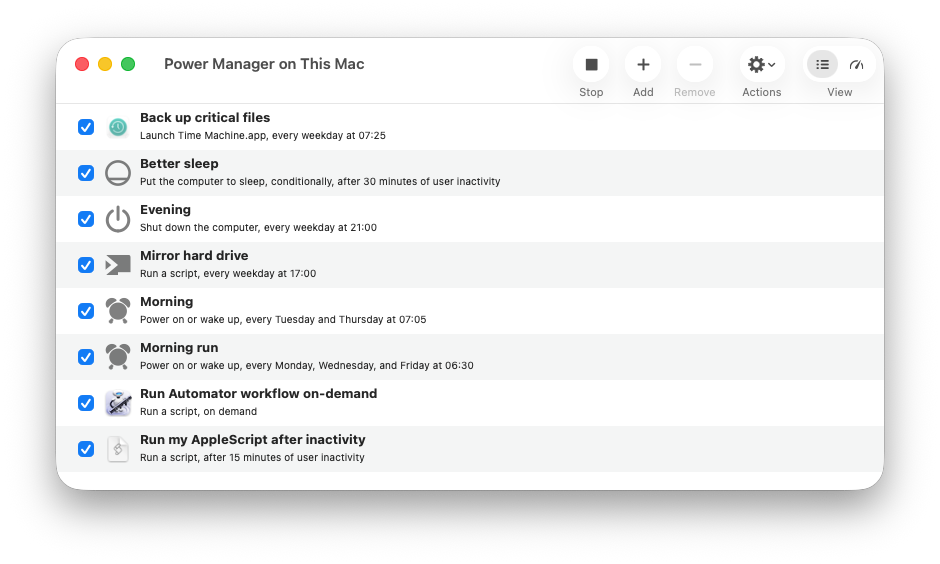
As the screen shots demonstrate, the main window remains largely unchanged between versions.
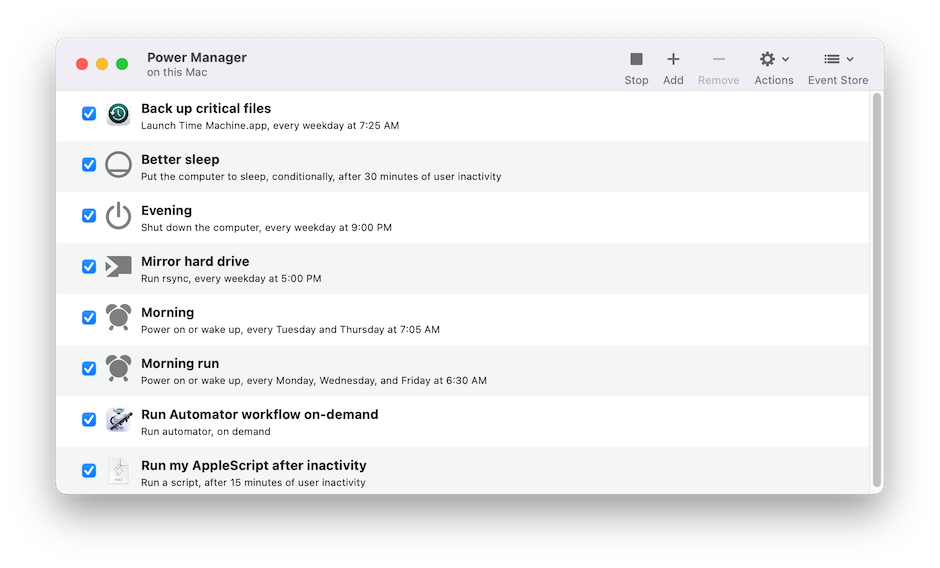
Power Manager continues to support a range of macOS versions with differing appearances. Power Manager 5.13 supports macOS 12 - macOS 26. Below is a screen shot showing the same schedule on macOS 12:
The macOS application no longer requires user credentials to unlock the Scheduler for administrators. Instead authentication is established without user interaction.
With Power Manager 5.13, the Schedule Assistant is window based and no longer a modal sheet.
The screen shots below show the older modal sheet based Schedule Assistant. The left screen shot shows the task selection. The right screen shot shows the first step of the Power off daily task:
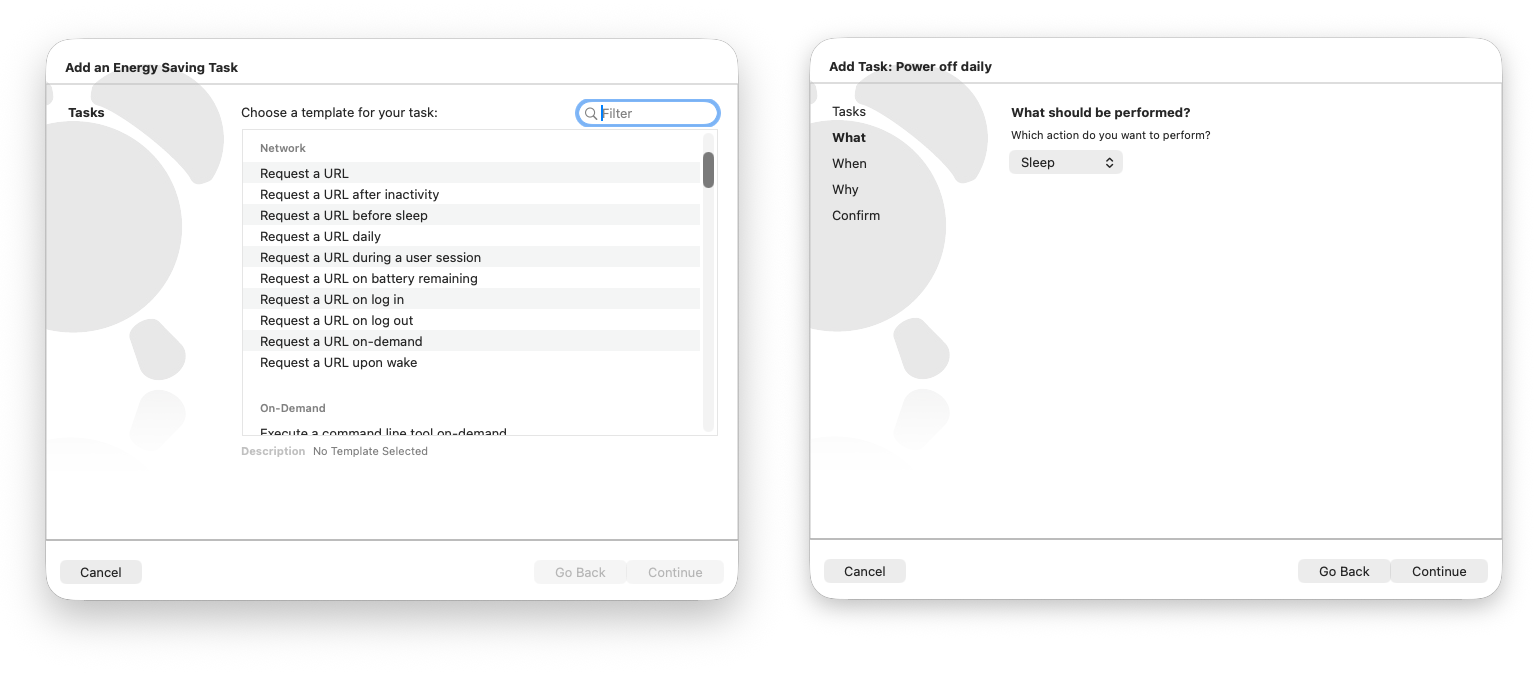
The screen shots below show the new window based Schedule Assistant. The left screen shot shows the task selection. The right screen shot shows the Power off daily task:
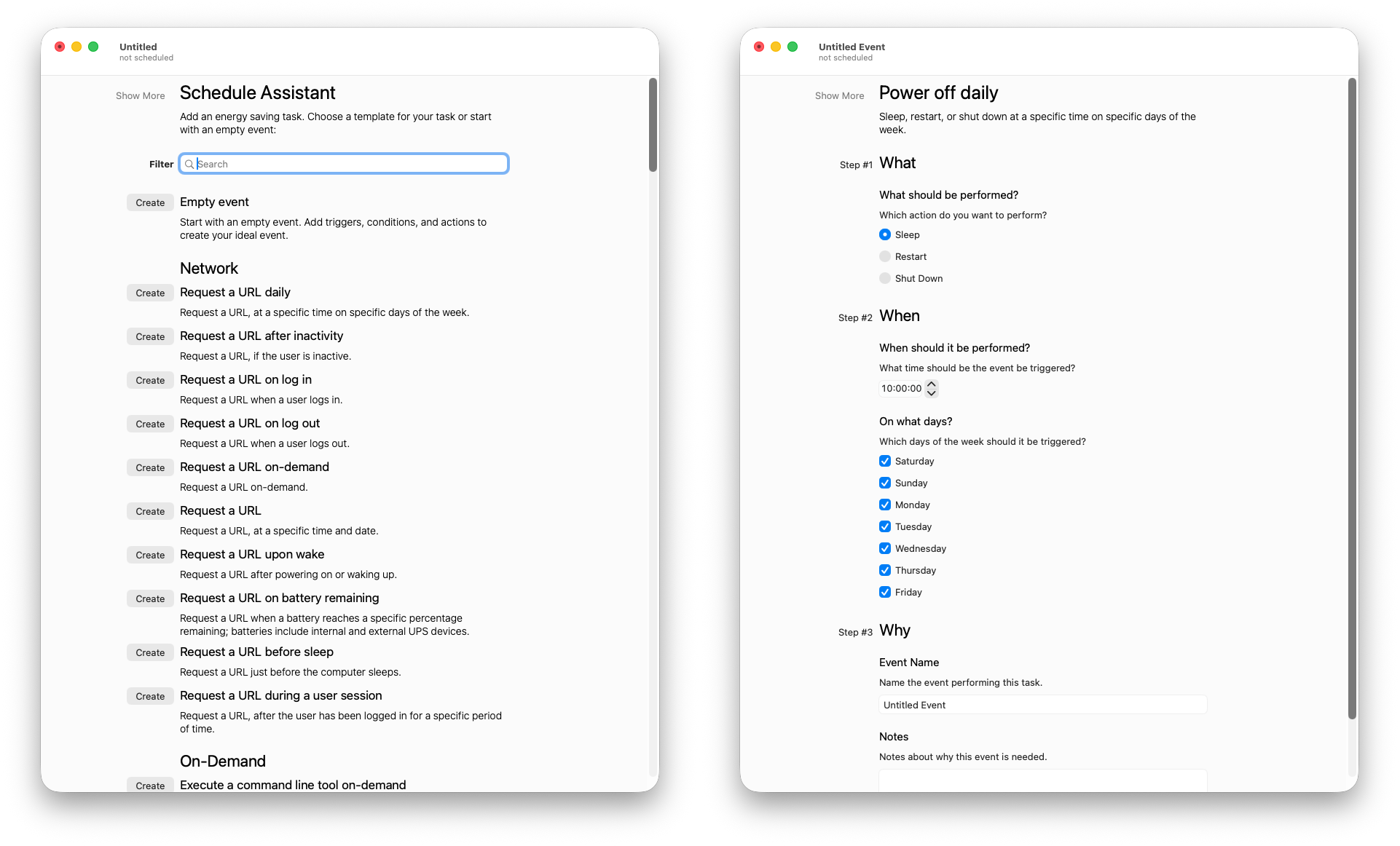
The new Event Editor seamlessly integrates with the Schedule Assistant. Selecting the Show More and Show Less buttons adjusts the level of detail displayed:
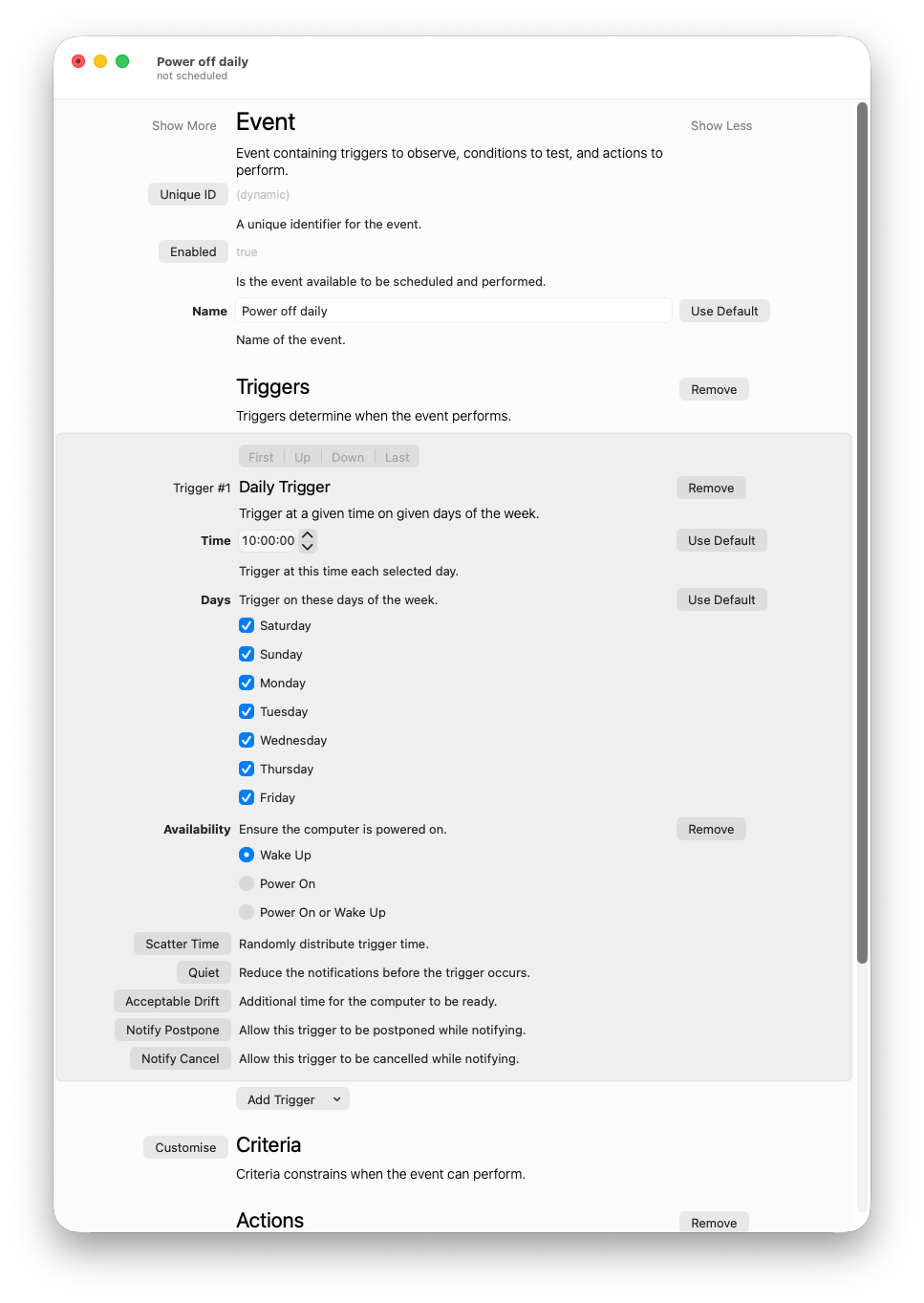
The editor is designed with a focus on visible buttons and clear functionality.
This update predominantly affects Power Manager’s macOS application and not the Scheduler. The Scheduler gains bug fixes and security updates but no significant new features.
A detailed version history of Power Manager is available.
Updating Power Manager
Automatic updates will begin in the next few weeks. As the 5.13 update is significant and involves user interface changes, we are staging the automatic update process.
Power Manager will automatically check for updates every so often, so there is nothing to do. When available, the update will automatically be offered to you.
To update to the latest Power Manager immediately, follow the manual update steps.